Integrations
Connect Swapt to Shopify, Klaviyo, your SMS, loyalty, and review apps, and send QR-driven conversions to your ad platforms.
Swapt connects to the tools you already use. Open Integrations from the bottom of the left-hand menu. The page has two tabs:
- Apps — the commerce, email, SMS, loyalty, review, and data apps Swapt reads from and writes to.
- Ad Attribution — send your QR-driven conversions to your ad platforms.
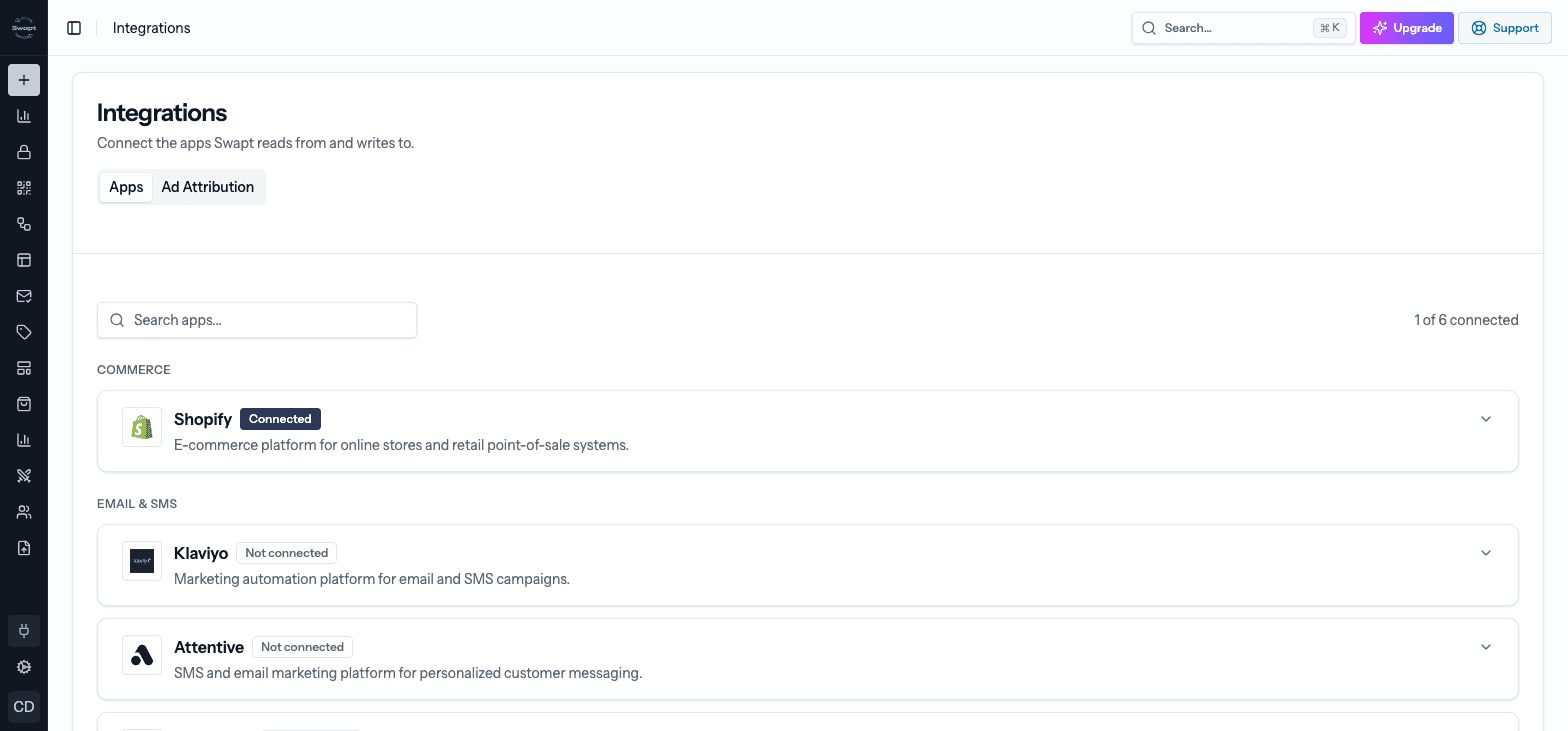
Apps
Apps are grouped by what they do. Each card shows whether it's Connected or Not connected — click a card to open it, then follow the steps to connect. Most cards include a short guide for finding the key or account details the app needs.
Once an app is connected, its steps become available in the Flow Builder — for example, adding a customer to a Klaviyo list or posting a review to Judge.me when someone reaches that point in a flow.
- Shopify — connect your Shopify store to sync products, create customers, orders, and discounts from flows, and attribute revenue. You can connect more than one store. See Connect your store.
- Square — connect your Square point-of-sale account.
- Klaviyo — add customers to lists and send events from your flows. Connect with OAuth Authentication (recommended) or API Key Authentication with a private Klaviyo API key.
- Attentive — SMS and email marketing.
- Postscript — SMS marketing for Shopify brands.
- Vibes — SMS marketing and mobile wallet campaigns.
- Resend — email sending.
- Iterable — listed as Coming soon.
- Rivo — add customers to your Rivo loyalty program.
- Yotpo — add customers to your Yotpo loyalty program and post reviews to Yotpo.
- LoyaltyLion — customer loyalty and rewards.
- Judge.me — pull product ratings and review counts into your Shopify product health, and post reviews from flows. Connect Shopify first.
- Markit — review management, plus SMS steps in flows.
- ShipHero — create fulfillment orders from a flow.
- Google Sheets — add a row to a spreadsheet from a flow.
Beta
Square, Yotpo, LoyaltyLion, Markit, ShipHero, Resend, Vibes, Iterable, and Google Sheets are switched on account by account, so they may not be switched on for your account yet.
Some flow steps don't need an app connected at all — for example Create API Call sends data to any web address, and Send Slack Message posts to a Slack channel. See Node reference.
Ad Attribution
The Ad Attribution tab sends conversions from your QR codes to your ad platforms, so you can prove the offline-to-online return on your ad spend. Each platform has its own card showing Connected or Not connected:
- Meta Conversions API — enter your Pixel / Dataset ID and CAPI Access Token (and optionally a Test Event Code).
- Google Analytics 4 — enter your Measurement ID and API Secret. A Debug mode switch helps while you test.
- TikTok Events API — enter your Pixel / Event Source ID and Access Token (and optionally a Test Event Code).
- Amazon Ads (Conversions API) — choose Connect with Amazon, sign in, then pick the ads profile to use.
Connect Claude
You can connect Swapt to Claude and run your account by chat — build flows, landing pages, emails, and promotions, and ask about your analytics, products, and brand. Set it up in Settings → Connect Claude. See Team & settings.
API keys
Need programmatic access to your data? Create keys in Settings → API Keys. See Team & settings.